How 'Out and About' Maps Work
The map lets you follow the track of a user with the app. It will update with the latest data, so you can keep uptodate. Click on markers on the map to see time.
Tracks are private, so you will need an invite from another person to see their track. They can send you a link from the app (The link is on the "Home" or "You" tab). You can add a link to your favourites to follow one or more people.
Here is an example of how the track map looks. The track colours are green for data, orange for SMS (Cellular), blue for SMS (Starlink), grey for low-band.
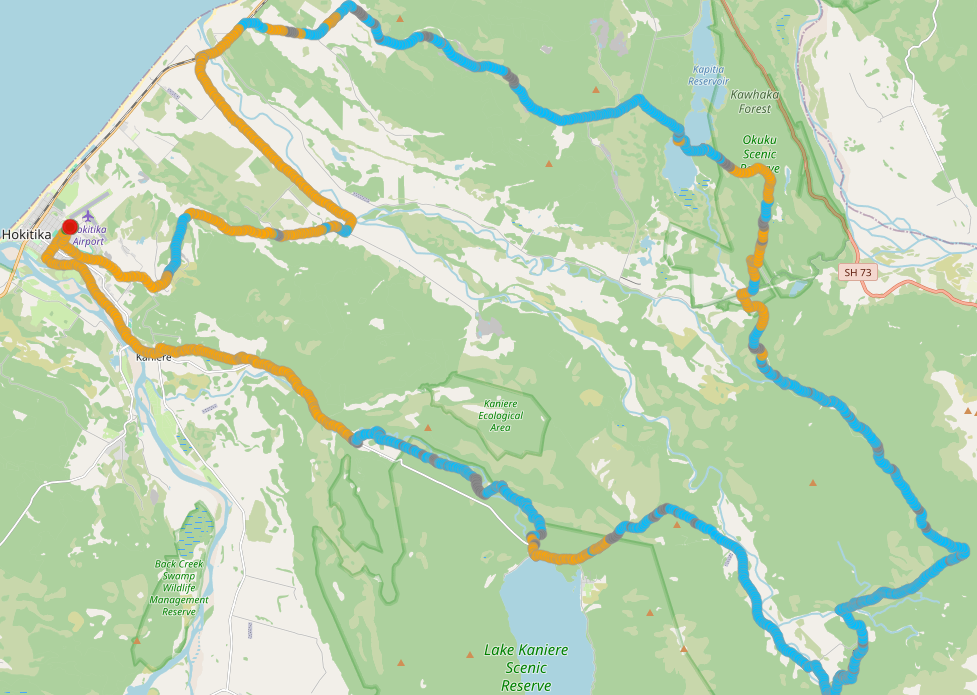

The map shows the track of an Out and About NZ user. It will automatically update as new trackpoints are sent.
A "finish" marker shows when they have "Stopped Tracking" in the app.
Viewing a track map is by invite only, so ask your friend, family member, or work colleague to send you the tracking link. There is no search facility here.
You can maintain your own list of these tracking links - select the star on the "Info" pane to retain this link.
The markers on the map are where an update message has been sent. Click on one to see the time and message. You can see a list of all the update messages on the "Info" pane on the right.
Hover over the point markers along the path to see the time when they were made.
You can export the track as a GPX file from the track summary area on the right. This allows you to import the track into other mapping applications.
Track Summary
Notes
| Time (24-hour) ⓘ | Message |
Your Favourites
| Who | Tracking Code | Date |
